Prototype!
I am prototyping in Capcut, after finding DaVinci too feature-rich for this project. See the attachment. Clip lengths are typically 4 seconds. I would add effects to the stills, except Capcut demands a pro subscription for every effect I’ve tried.
ChatGPT replied:
I watched the 43.8-second prototype. It is already answering an important question: the concept works without elaborate effects. The switch between genuinely moving material and strong chapter illustrations does not bother me. What makes the stills feel like stills is not the absence of flashy effects; it is simply the absence of camera motion.
The opening is particularly good. Holding the floating estate through roughly the first 8 seconds gives the instrumental intro its own visual idea, and then the first character image arrives as the song becomes human. I would keep that basic logic. Later, the long estate-motion section around 22–32 seconds gives the eye a useful reset before returning to characters.
I would not buy CapCut Pro merely for effects. For this project, most of the effects it is trying to sell you would probably cheapen the material anyway. What we want is ordinary cinematography: push in, pull back, pan, reframe.
You can do that with free keyframes
On a still in CapCut Desktop, select the clip and use the diamond keyframe controls beside Scale and Position in the Video/Basic transform controls. Put a keyframe at the beginning, move to the end of the four-second clip, change the scale or position, and CapCut interpolates the move.
For this material I would use only about four moves:
- Slow push-in: start at the normal crop and end about 6–10% tighter. Best for faces and intimate scenes.
- Slow pull-back: begin fairly tight and reveal the environment. Good for the fantastic-world images.
- Lateral reveal: keep scale essentially fixed and slide the frame slowly sideways. Very useful because we’re converting wide chapter art to 9:16.
- Two-shot pan: deliberately travel from one character/group to another. Use this sparingly when the original wide image actually contains two visual beats.
No preset animation or “effect” is needed.
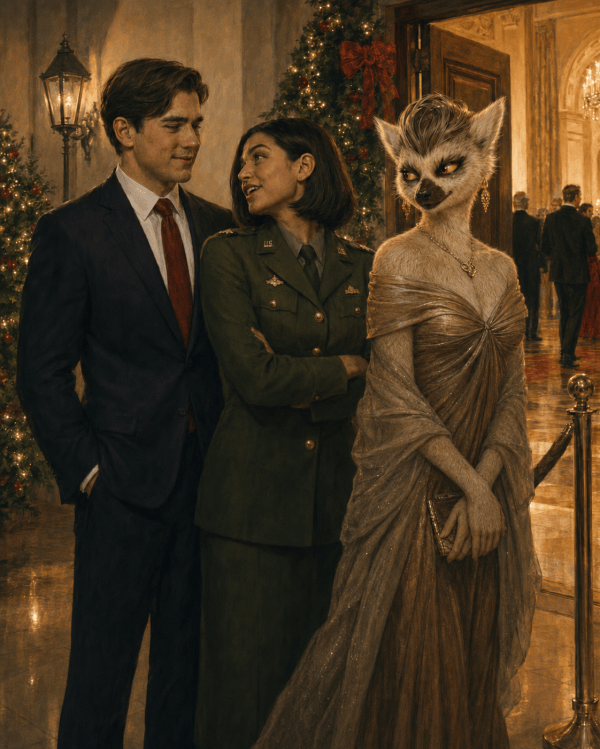
The Carmen/Brandon dance in your prototype, for example, wants a very small push toward their faces. The party image immediately after it could begin on the young couple and drift toward the Anye woman. The city-at-night Carmen/Brandon shot near 33 seconds could begin slightly wider and creep inward. The Gravity is ON image is almost made for a slight upward move from the sign toward their faces.
There is another free trick I like even better
Cut one still into two shots.
Instead of four seconds of continuous zoom, duplicate the image:
2.0 sec: medium composition
2.0 sec: hard cut to a tighter crop
That creates synthetic “coverage” from one illustration. On this Hall & Oates track, a punch-in on a musical accent can look much more intentional than a fancy transition.
For a landscape frame converted to vertical, we can also do:
2 sec: crop on character A
2 sec: cut to character B
2 sec: wider environmental crop
One illustration has suddenly supplied three shots.
I would mostly use hard cuts
The music is rhythmic enough to carry them. Fancy wipes, zoom transitions, light leaks and so forth aren’t necessary. In fact, the polished cinematic artwork benefits from plain editing.
A few dissolves may be useful for quieter affectionate material, but even those can be made manually with opacity keyframes if CapCut decides to put the transition you want behind Pro.
Your four-second default is good—but vary it
At 3:07, a rigid four-second cadence would give us about 47 shots. That’s actually close to the amount of material we have, but I wouldn’t let it become clockwork.
I would use roughly:
3–5 seconds for most stills
5–8 seconds for particularly good motion clips
1.5–2.5 seconds for comic/detail inserts
8 seconds occasionally when the music itself gives us a natural sustained passage, as your opening does
That creates apparent acceleration and deceleration without needing effects.
The current prototype illustrates this nicely. The cuts I see are approximately 8.2, 12.3, 16.3, 21.8, 31.8, 34.8, 37.8 and 42.9 seconds. The later sequence naturally becomes quicker. That’s much better than forcing every shot to four seconds.
One adjustment I’d make now
The roughly 10-second moving-estate passage at 21.8–31.8 is beautiful, but in the finished piece I suspect we’ll want either:
- two different excerpts from that motion source with another image between them, or
- about 6 seconds instead of 10.
Not because the shot isn’t good, but because an audience starts learning that “moving environment = wait here awhile.” We want motion clips to feel like little rewards that keep arriving unexpectedly.
The 8-second opening is different: it has the special job of introducing the entire universe.
So at this stage I would make the production rule:
Motion clips get actual motion. Stills get camera motion. Effects are optional.
That lets CapCut remain essentially a free assembly tool while preserving the visual quality of the illustrations.
And this prototype makes me more confident about the full 3:07 version than I was from the storyboard alone. It doesn’t look like a slideshow with video clips inserted. With subtle keyframing on the stills, it can read as one continuous visual language.
Recent Comments